
Collect tasks
Capture every loose end before it gets lost.
 Kona
Kona Release 2026.4 - Statistics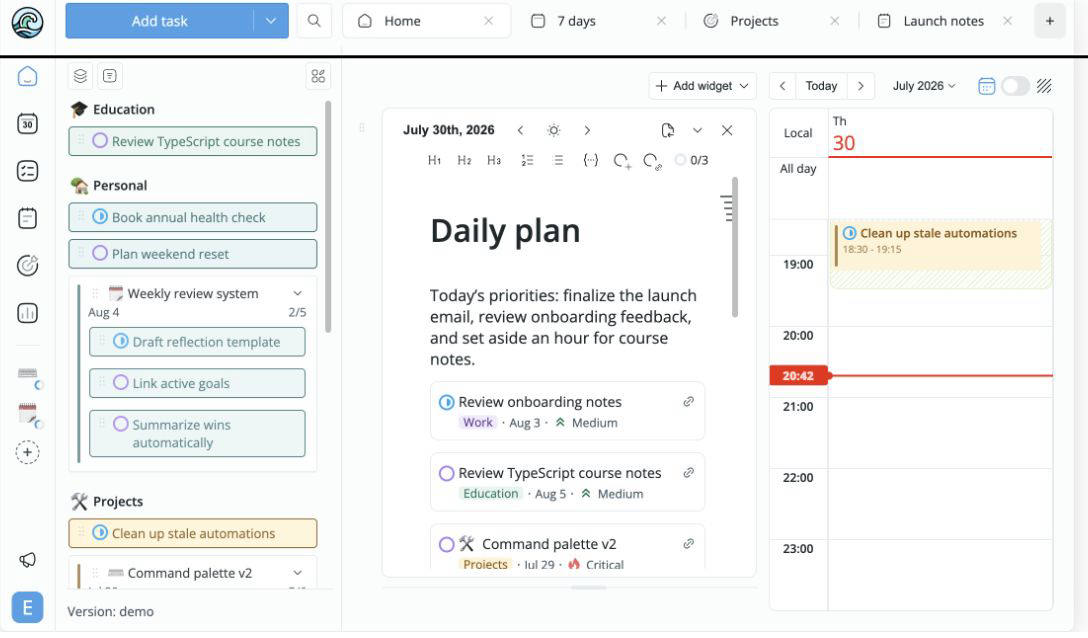
A better place for plans
Todo apps make planning feel small. Note-taking apps leave planning for later. Kona brings the two together.
 Todoist
 Akiflow
The reasoning stays somewhere else.
 Notion
The next action never finds time.
KonaPlan with the full picture.How Kona works
Turn dreams into goals, goals into actions, actions into plans, and plans into results
Capture every loose end before it gets lost.
Use daily, weekly, monthly, yearlydailyweeklymonthlyyearly
notes to think
ahead.
Move planning tasks onto your calendar and make space for them.
See what matters now and work your way through the day.
You can't tell if you are improving unless you closely monitor your progress. See the detailed report with our statistics widgets in Kona Plus.
I started building Kona over 5 years ago. I wanted to use something that could help me achieve my goals and manage my time, an app that would help me understand, at the end of the day, how meaningful it was. Most of the apps were focused on collecting tasks into endless lists, but they were missing a calendar — the only way to see and control our most precious resource: time. Later, more and more people started to understand the importance of this, and we have all seen a rise in calendar apps in the last 3-4 years. But I think that this is not enough. We, people, need a canvas for our thoughts, plans and ideas, something that will help us to express ourselves.
If you think you’ve tried everything and nothing works, I encourage you to try planning with notes. We built Kona to help you on your journey to find the most efficient way to plan your time, and I think we’re onto something.

Occasional product news, straight to your inbox.
 Review onboarding notes


